Size recommender
A size recommender that shoppers trust.
True2Size asks the questions shoppers can answer without a tape measure and gives them one clear size, with the reasoning behind it. Right on your product page, in their own language.
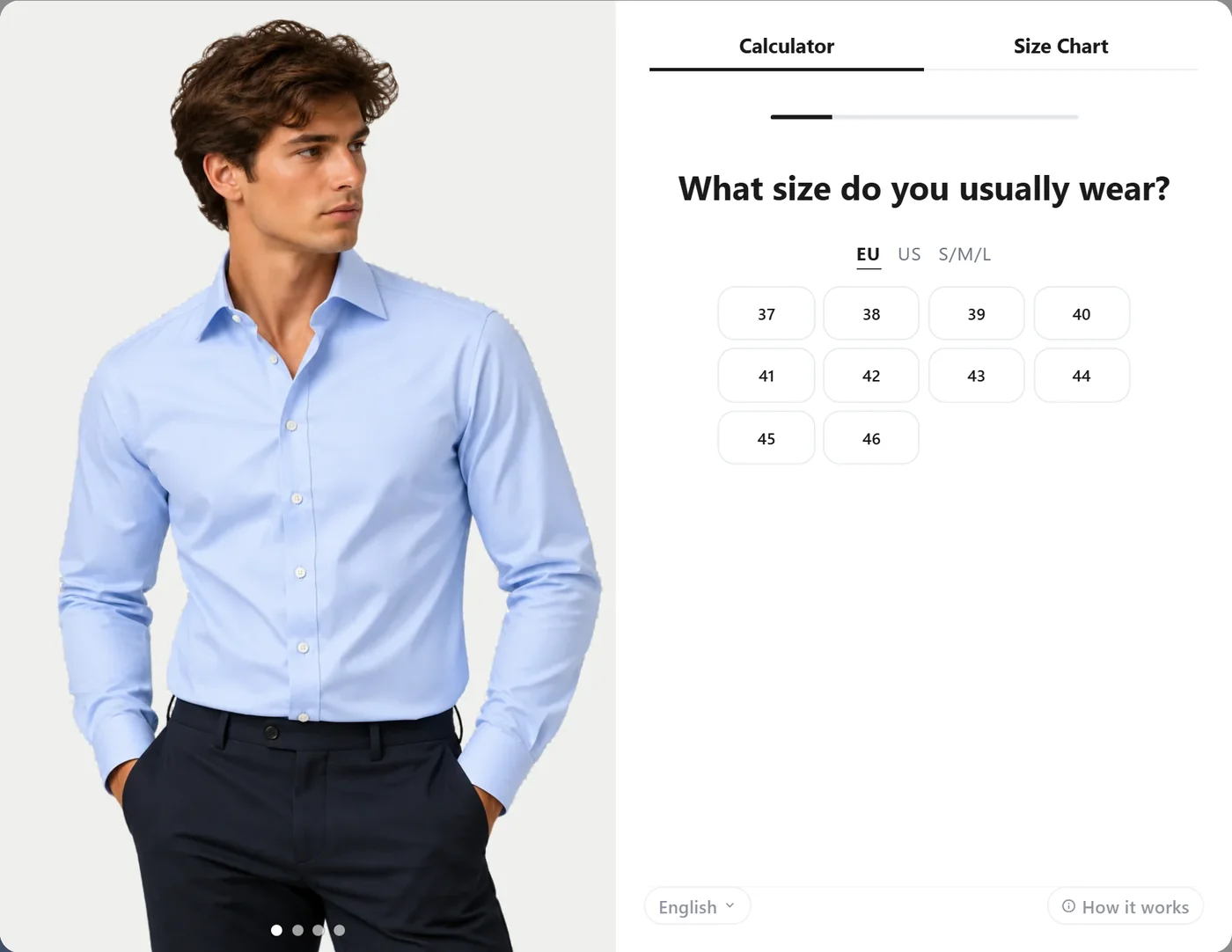
The questions
Questions shoppers already know the answer to
No measuring, no photos, no body scans. Pick the questions that fit your products.
Usual size
The size the shopper wears most often, in your own sizes or in EU, UK, US or letters. One tap switches system.
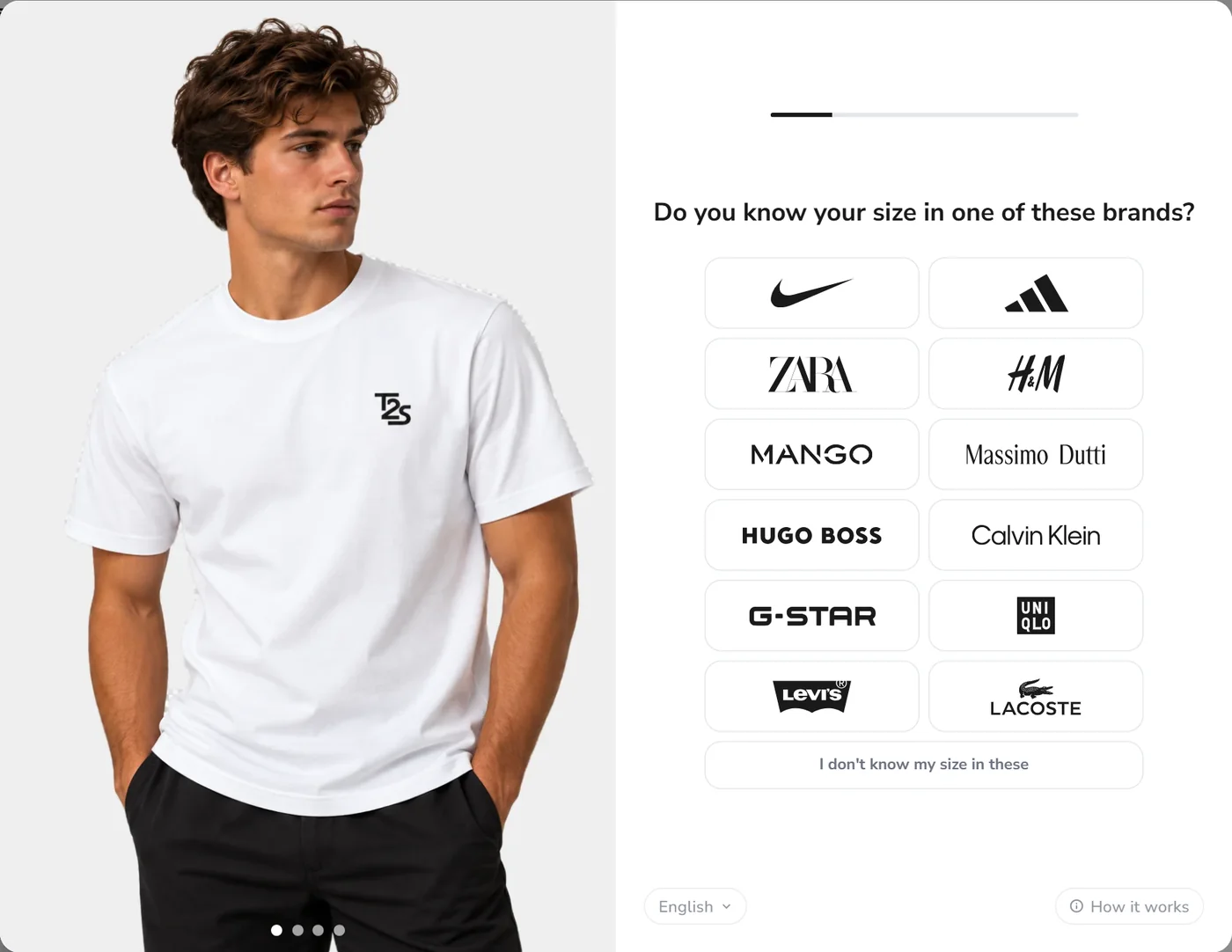
A brand they know
Or they pick a brand they know their size in, shown as logos: Zara, H&M, Nike, Levi’s and 20 more. You choose which.
How consistent
“Do you always wear this size?” Smaller, always, or bigger, so in-between shoppers get the right one.
Fit preference
Snug, regular or loose, on a simple slider. The recommendation shifts with it.
Height and weight
Optional, for the most precise flow. Digit boxes, slider, scroll wheel or a dropdown, in cm or inches.
Gender and age
Optional extra questions for your analytics. Gender can be preset from the size chart.
Question flows
As quick or as precise as you want
Choose a flow per widget profile. Different product types can use different flows.
Fast
Usual size and how consistent it is. The quickest path to a size, best for basics and simple fits.
Accurate
Adds fit preference, so shoppers who like a looser or tighter fit get a size that matches.
Pro
Adds height and weight for the most precise recommendation. The default for new stores.
Brand comparison
“I wear M at Zara.” That is enough.
Most shoppers know their size at one or two big brands. Let them pick a brand they know, shown as recognisable logos, and answer in that brand’s size. You choose which brands to show, and in what order.
- 23 brand logos, from Zara and H&M to Nike and Levi’s
- Drag them into your own order
- An “I don’t know” option that falls back to the regular question
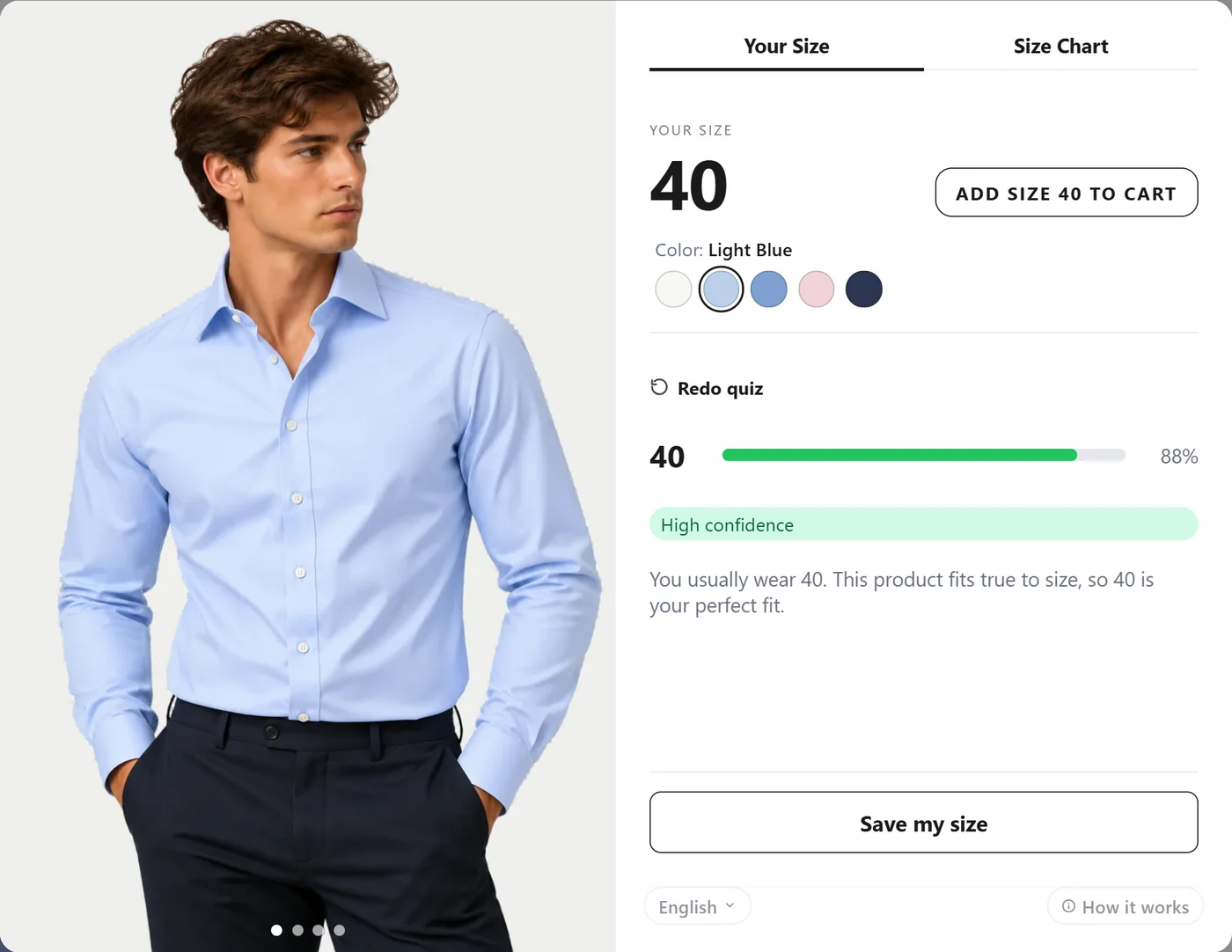
The result
One size, a clear reason, and straight to the cart
The result shows the recommended size, how confident it is and why. One tap selects the size on your product page or adds it to the cart, and shoppers can switch colour without leaving the result.
- Select size or Add to cart, your choice
- Other colours and options on the result screen
- Sold-out sizes flagged before the shopper is disappointed
- Shoppers can say how the fit turned out
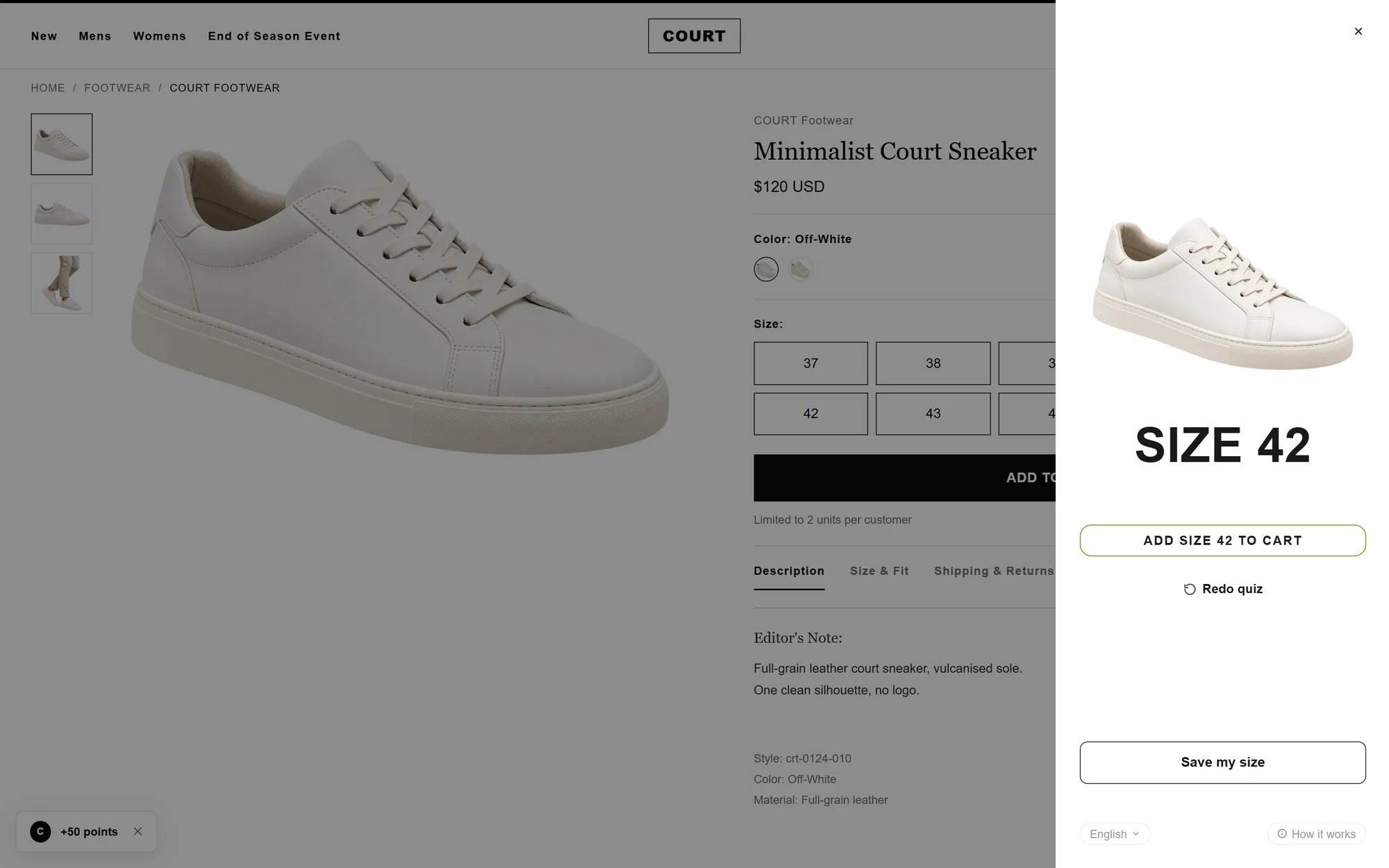
Works everywhere on your page
Popup, drawer, side panel, inline or full page
Open the size recommender the way that suits your store. Place the button next to your size selector, anywhere you choose, or as a floating tab, with separate settings for mobile.
- Popup, drawer, side panel, inline or full page
- Anchored to your size selector automatically
- A full-screen sheet on mobile
And more
Built for real stores
Six languages
English, Dutch, German, French, Spanish and Italian, chosen by the shopper or set by you.
Remembers shoppers
Answers carry over to every product in a visit. Saving a size for later takes explicit consent.
Analytics
See usage, drop-off per question, recommended sizes and add-to-cart rate.
Per product type
Different profiles for tops, bottoms and shoes, each with its own look and questions.
Size and fit are the most common reasons clothing is returned. A size recommender gives shoppers one clear size before they buy, so fewer people guess, order two sizes or send the wrong one back.
True2Size compares what the shopper tells us with your own size chart and how the product fits (true to size, runs small or runs big). It shows a confidence level and the reasoning, so shoppers can see why a size is recommended.
Yes. Shoppers can answer in your sizes or switch to EU, UK, US or letters (S/M/L). If your chart has columns for several systems, those answers are looked up exactly.
Within a visit it remembers their answers on every product page. If a shopper chooses to save their size, with explicit consent and an email check, it remembers them on later visits too.
Yes. The analytics page shows how many shoppers used the recommender, where they stop, which sizes are recommended and how many recommendations end in the cart.
No. The widget is a single small script that loads after your page, and it only does work when a shopper opens it.
Give every shopper the right size
Install the free app in minutes, or talk to us about your store.